
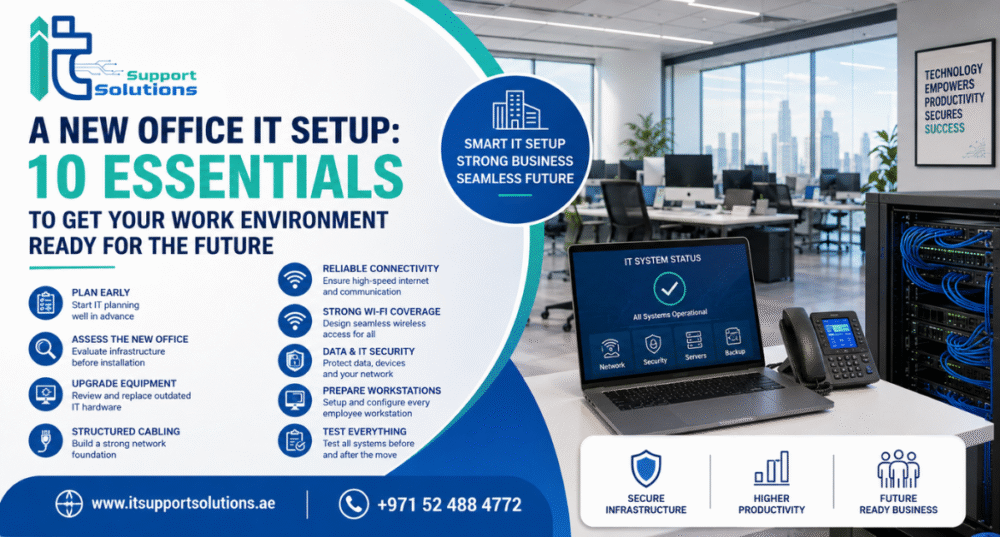
The relocation to a new office marks a very exciting event for all businesses.
The move to a new office is a thrilling moment for every business. It could mean expanding staff and better facilities or the chance to make a new start for a new office IT Setup in Dubai. However, while interiors, furniture, and marketing often draw all the attention they deserve, your brand’s newly installed office IT system should receive the same attention to detail.
Unplanned and well-constructed technology configurations could result in slow networks and connectivity issues, communications interruptions, and security threats, as well as unneeded time lost to downtime. But an organised IT setting can allow employees to get more productive as of the first day.
If you’re launching an office or relocating your existing company or expanding to a new area, IT Support Solutions can aid you in building a solid IT foundation that meets your specific business needs.
Here’s a checklist to guide you in planning an efficient and smooth computer setup for your office.
1. Start Planning Your Office IT Setup Early
One of the most common mistakes companies make when moving is to put off IT plans until the final minute. IT infrastructure usually requires collaboration between various groups, which includes internet service companies, providers of telecom services, and electricians. They also need cabling experts and IT specialists.
Begin planning a few months or weeks prior to moving whenever you can.

Develop a specific schedule for:
- The date for the office move-in is set.
- Internet and activation of phones
- Installation of Wi-Fi and Network
- Printer and computer setup
- Cloud Infrastructure or Server
- Security Systems
- Backup of data
- Troubleshooting and testing
- Configuration of workstations by employees
Delegate responsibilities to individuals or service suppliers. The use of a clear strategy helps to spot potential problems before they turn into costly interruptions.
2. Assess the New Office Before Installation
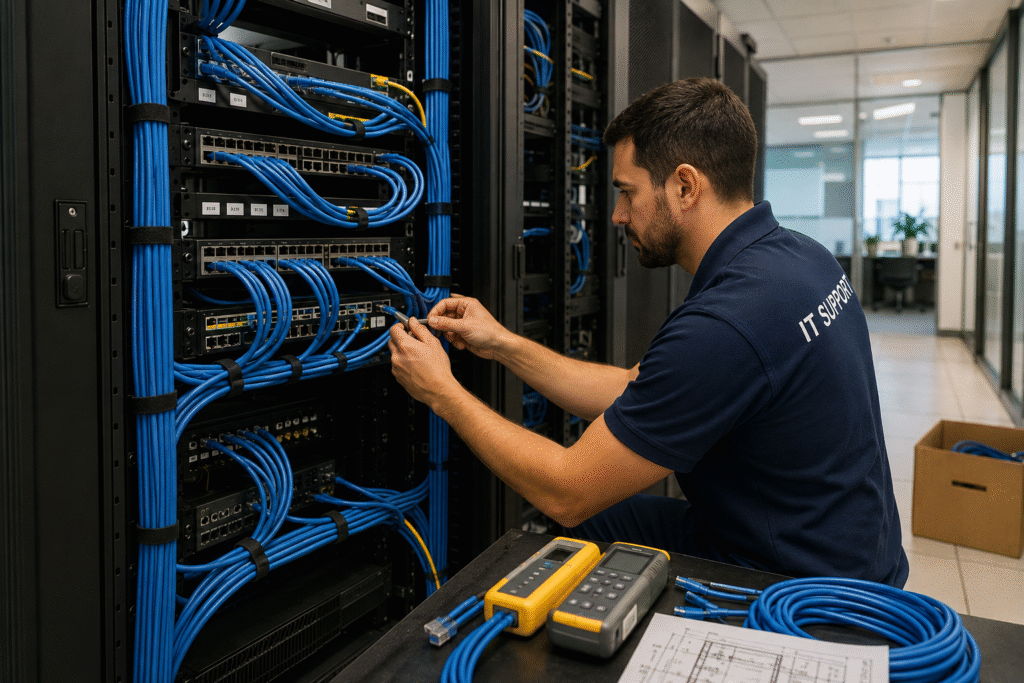
Don’t assume that your newly built office is prepared for the requirements of your new technology.
A site inspection by an expert is required prior to installing network equipment and workstations. Review the electricity points available and network connections in the servers room. Internet entry points, Wi-Fi connectivity, and locations for equipment.
This is the ideal moment to pinpoint any potential problems in:
- Network cabling
- Power availability
- Ventilation and cooling
- Equipment placement
- Internet connectivity
- Broadband coverage
- Physical security
A thorough site survey helps your IT department acquire the necessary information for creating an efficient infrastructure.
3. Review and Upgrade Existing IT Equipment
Moving offices is the perfect opportunity to review the technology you have in place.
The transfer of outdated equipment to an office could simply transfer problems from an old office in a new place. Check out laptops, computers, routers, and switches, as well as printers, access points, and storage devices, and the rest of the hardware that is essential.
Find out if each device is able to meet your present and future demands for business.
Think about replacing the equipment that
- No longer in use or not supported
- Sometimes, it fails
- Not fast enough for the current load.
- Not compatible with the latest systems.
- It is expensive to keep it maintained.
- Unable to meet security standards
Creating a list of the equipment assists in identifying what should be moved, improved, replaced, or disposed of.
4. Plan Your Network and Structured Cabling
The network you have is the foundation of the office environment. Professional office IT configurations must include a carefully designed network infrastructure, rather than sporadic or unorganized connections.
Find out where printers, computers, wireless access points, CCTV, VoIP phone servers, and other devices that are network-connected are situated.
When needed, you should consider hiring the use of structured cabling by a professional to ensure efficient and reliable connectivity across the workplace.
Correct cable labeling, patching, and network cables and racks, as well as the management of cables, can make problems and expansion much more manageable.
Your IT provider must also verify connections once the installation is complete to confirm that the network works in the way you expect it to.
5. Check Internet and Communication Requirements
A reliable internet connection is vital to modern-day businesses. Video meetings and cloud-based applications, as well as email, VoIP, file sharing, remote access, and other online platforms for business, all rely on a reliable internet connection.
Get in touch with your Internet Service Provider prior to your move date and give them the time for moving in.
Evaluate:
- The internet requires bandwidth
- Employee number
- Cloud applications and their use
- Video conferencing requirements
- VoIP is required
- The requirements for guest Wi-Fi
- Connectivity to the internet backup
In case your organization is still using conventional telecommunication infrastructure, then this can be a good opportunity to try out VoIP or cloud communication services.
6. Design Reliable Wi-Fi Coverage
Workers increasingly depend on connectivity via wireless on tablets, smartphones, laptops, and printing equipment for meeting rooms, as well as other equipment.
Installing a couple of wireless routers will not guarantee enough coverage for an entire office.
Professional Wi-Fi assessments will help determine the best access point locations as well as help to reduce the number of dead zones as well as connectivity issues.
Separate networks should be considered for guests, employee guests, and other devices that are critical to business. The right security measures can safeguard internal systems while giving guests easy access.
7. Protect Business Data Before the Move
Security of data should be considered top of the list in the event of a relocation.
Prior to moving computers, servers or other storage devices other devices, make sure that your important business information was successfully stored.
A solid backup plan should be able to consider multiple backup locations and alternative options for recovering. Companies should be aware of not just the location where backups are kept but also whether their backups could be recovered.
Information that is important to safeguard could be:
- Records of customers
- Financial information
- Files of employees
- Documents for business
- Application data
- Databases
- Project file
Moving isn’t an ideal time to find out the backup system you have installed is failing.
8. Strengthen Your IT Security
An office that is new should be secure from the very beginning.
Check your firewall, antivirus, or other endpoint security controls for user access, Wi-Fi security, and password policy, as well as backup security, among additional security steps.
Security for physical devices should be taken into consideration. Server rooms as well as networking equipment need to be protected from access, and critical equipment should be secured from misuse by unauthorized persons.
The IT configuration you have in place should adhere to the idea that only users who are authorized have access to resources they require.
9. Prepare Every Employee Workstation
Prior to the arrival of employees at their workplace, they should have their workspaces prepared.
Every laptop or computer should include the software updates for the operating system, business tools for security, applications such as printers, email accounts with network access, and the user’s permissions set.
In case of a larger relocation of the office, prepare a list of the workstations to ensure that everyone has the identical workstation setup.
This reduces the number of first-day IT help requests. It also enables staff to concentrate on their jobs rather than waiting for the tech to be configured.
10. Test Everything Before and After the Move
Don’t consider your office’s IT system complete until it has been thoroughly tested.
Examine the Wi-Fi connectivity of your internet, and check for Internet connectivity and network performance. Also, check VoIP phones, printers, servers, cloud-based applications, and file access. Also, check security systems, as well as the transfer of data.
An inspection with your IT service provider could assist in identifying problems prior to them causing problems for employees.
Ideally, you would require an IT expert who can also be available right from the very first day of your business. In case an employee cannot connect to the Internet or there is a problem in the system, quick help may save unnecessary delays.
Make a Smarter Office IT Environment with IT Support Solutions
An effective office move requires more than simply shifting desks and computers. Your IT infrastructure must be planned in line with your business activities, the needs of employees’ security, the needs for security, and the future expansion of your business.
Beginning with the initial site evaluation and network design to installation and connectivity, cybersecurity backup of data, and finally testing, each stage is important.
IT Support Solutions provides professional IT knowledge to assist businesses in building reliable and efficient workplace technology. If you have the right plan and support from a technical expert, it is possible to move into your new work environment with greater security and lessen the chance of unanticipated IT difficulties.
If you’re preparing for an office move, relocation, expansion, or a technology change, you should look at Microsoft Office IT setup services provided by IT Support Solutions and build an IT environment that will support your business right from the start.

